XLSX / LL-0035
PlanningMaster Production Schedule Excel Template
Plan finished-product schedule lines in Excel, check dates and available time, and view a dated action plan with open rescheduling exceptions.
 Excel workbook and guide byLena Hart WhitcombProduction Workbook Editor
 QA editorial profileJonah Cray BellmontSpreadsheet QA Editor
This workbook plans finished products before production release. One MPS Plan row represents one finished-product schedule line. Enter the product identifier, work order or run ID, responsible role, planned action date, required date, resource time, quantities, and status.
The calculated results include a dated action plan, execution register, and open rescheduling exception list. The workbook is available as an Excel file for offline planning. Its scope is finished-product master scheduling before production release. It does not create work orders or build a multi-day resource-loaded schedule by date.
Workflow boundary
What this workbook helps you do
- Put finished-product schedule lines in planned action date order.
- Identify lines that need rescheduling based on date checks, available-time checks, or selected status.
- Compare entered actual run time and quantity with planned values through displayed variances.
- Separate open rescheduling exceptions from the dated action plan.
Included sheets and controls
- MPS Plan sheet with reporting period fields and prepared schedule-line rows through row 108.
- Formulas for date sequencing, available resource time, planned-versus-actual values, and status progression.
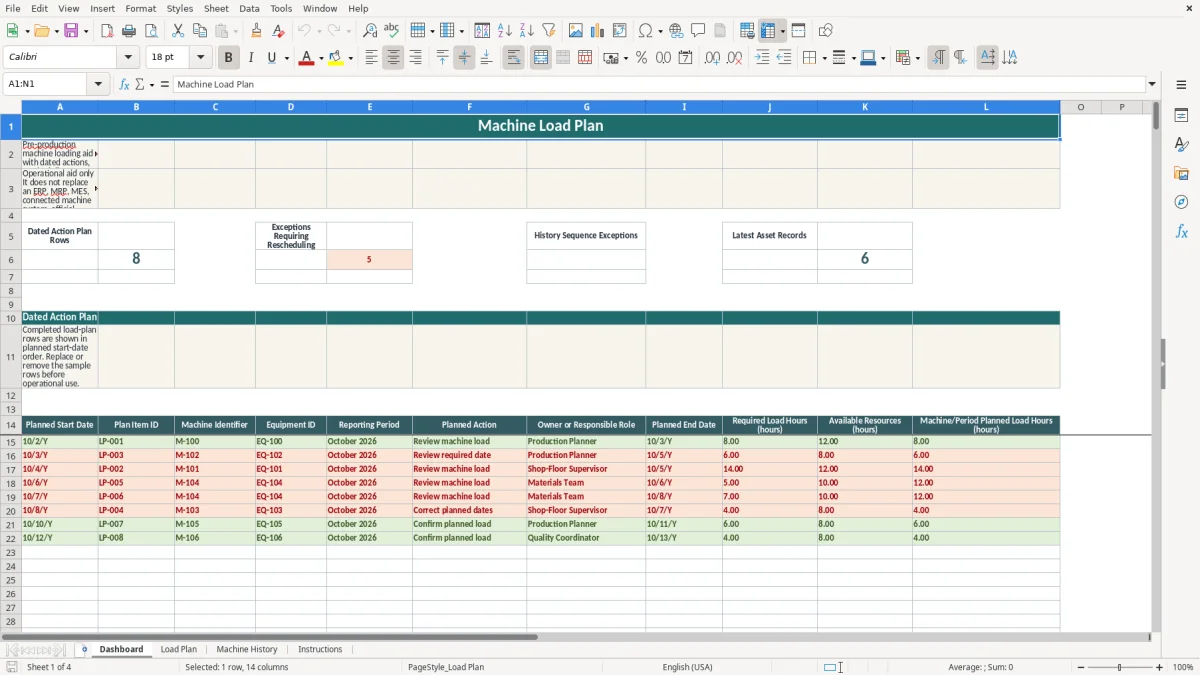
- Action Plan sheet with a date-sorted execution register and an open rescheduling exception list.
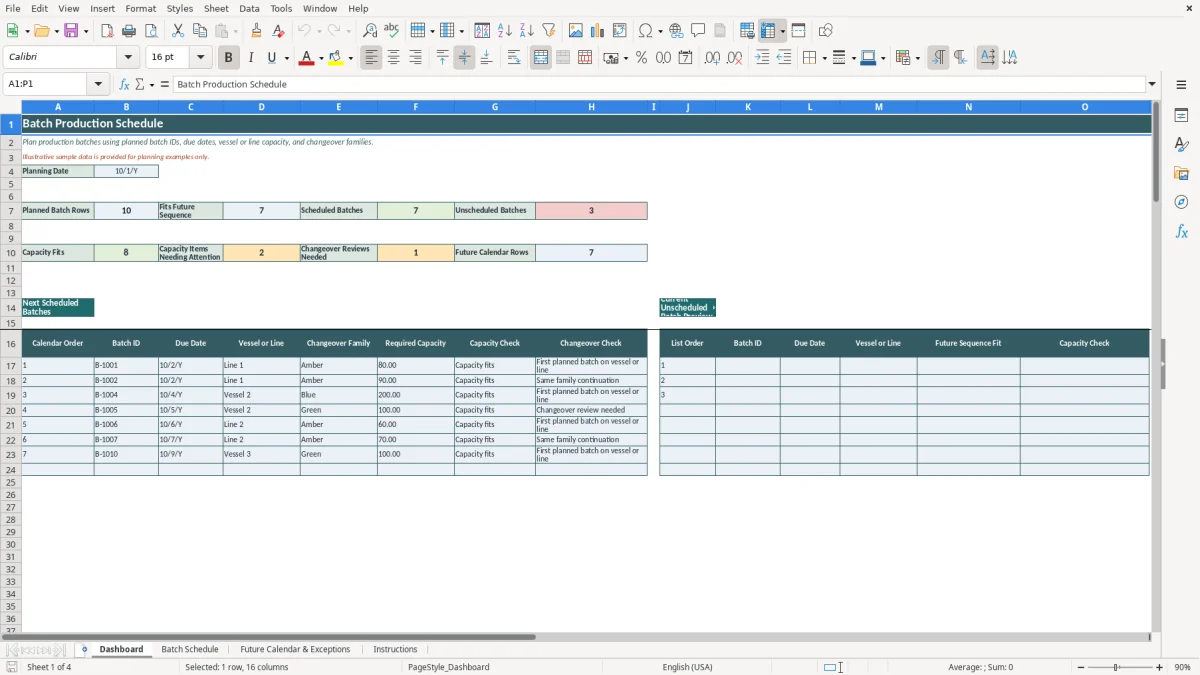
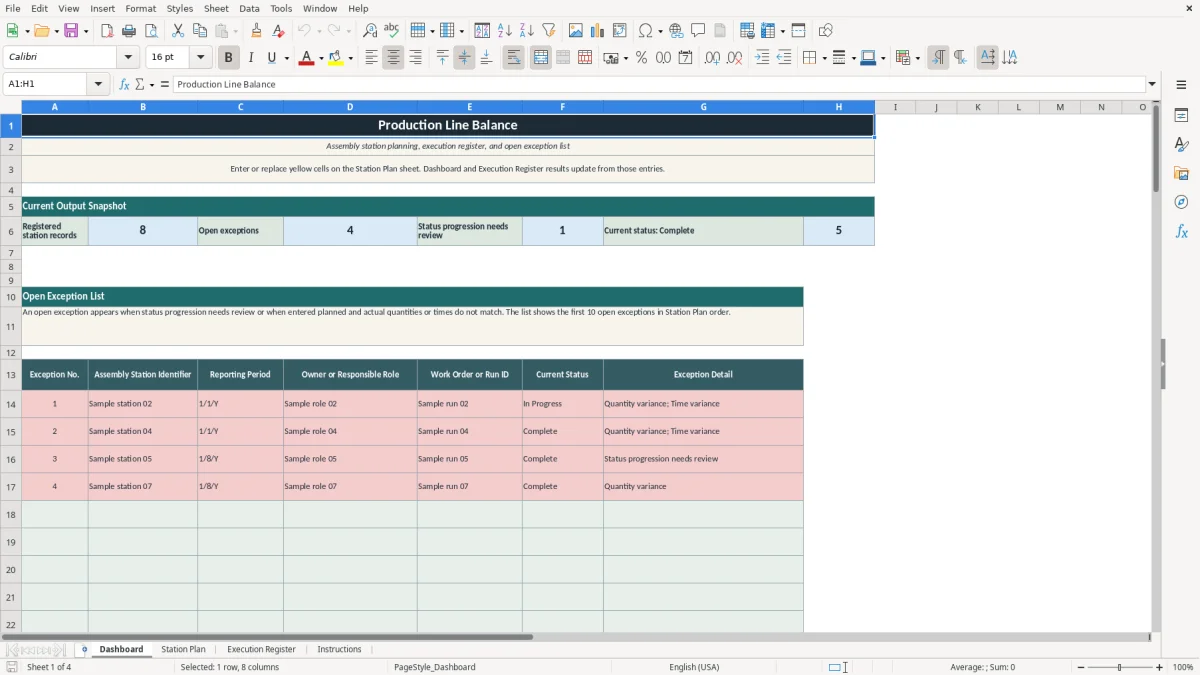
- Dashboard with calculated counts and previews of scheduled lines and open exceptions.
Operating sequence
How to use the workbook
1. Set the reporting period
On MPS Plan, enter the Reporting Period Start and Reporting Period End dates. The reporting period status displays whether the date range is accepted or needs review.
2. Enter one finished-product schedule line
Enter the finished products identifier, work order or run ID, owner or responsible role, planned action date, required date, available resources time, planned run time, planned quantity, and status. Rows 9 through 18 contain fictional editable examples. Rows through 108 are prepared for schedule lines.
3. Use the labeled time and quantity inputs
Enter available resources time, planned run time, and actual run time in hours. Use the same resource basis for available resources time and planned run time. Enter planned and actual quantities in units.
4. Select status and enter actual values
Select Draft, Planned, Ready for Review, Actual Recorded, or Reschedule Required. Enter actual run time or actual quantity when available. The formulas then display planned-versus-actual results and variances.
5. Inspect Action Plan and Dashboard
Action Plan lists populated schedule lines by planned action date and shows open rescheduling exceptions separately. Dashboard displays calculated counts and the first eight scheduled lines and first eight open exceptions.
Finished-product master scheduling in Excel
The planning unit is a finished-product schedule line. MPS Plan records a finished products identifier, work order or run ID, owner or responsible role, planned action date, required date, resource times, quantities, and status for each populated line.
The workbook is for finished products before production release. It does not make a work order from the entered work order or run ID.
Date and available-time checks
The date check compares the planned action date with the required date and reporting period. It returns a rescheduling result when the action date is after the required date or outside the entered reporting period.
The available-time check compares planned run time with available resources time in hours. It returns a rescheduling result when planned run time is greater than available resources time. The check depends on user-entered values using the same resource basis.
Planned and actual values
Actual run time and actual quantity are user-entered values. When actual values are entered, the workbook compares actual run time with planned run time and actual quantity with planned quantity.
Run time variance is displayed in hours. Quantity variance is displayed in units. A displayed comparison or variance does not independently verify an actual entry.
Action plan and exception list
Action Plan sorts populated schedule lines by planned action date. It displays the linked identifiers, dates, status, time values, quantity values, variances, check results, and action or exception note.
The open exception list contains lines marked Open by the workbook. Dashboard shows calculated counts for dated actions, open rescheduling exceptions, accepted date checks, within-available-time checks, and actual entries that differ from plan.
Use notes
Questions about this workbook
It plans finished products before production release. Each populated MPS Plan row is one finished-product schedule line tied to a work order or run ID entered by the user.
A line is open when the date check requires rescheduling, the available-time check requires rescheduling, or the selected status is Reschedule Required. The exception detail lists the applicable condition or conditions for that line.
The check compares planned run time with available resources time on the same schedule line. Planned run time at or below available resources time is displayed as within available resource time. Both time entries are in hours.
Yes. Enter actual run time in hours and actual quantity in units when those values are available. The workbook displays run time variance, quantity variance, and a planned-versus-actual check from the entered values.
No. It records a work order or run ID supplied by the user, but it does not create work orders. It does not perform multi-day resource loading by date or replace an ERP, MRP, or MES.
Same verified file
Ready to work from your own copy?
Editorial profiles
Lena Hart Whitcomb
Production Workbook EditorLena shapes factory planning, materials, execution and improvement workflows into clear Excel workbooks. She focuses on usable inputs, transparent calculations, practical outputs and explicit limits.
Jonah Cray Bellmont
Spreadsheet QA EditorJonah reviews formula behavior, data validation, field labels, example data and workbook instructions so each download remains testable and within its documented scope.