XLSX / LL-0057
PlanningMachine Load Plan Excel Template
Plan machine work before production release with dated actions, rescheduling exceptions, entered hours, and machine history views in Excel.
 Excel workbook and guide byLena Hart WhitcombProduction Workbook Editor
 QA editorial profileJonah Cray BellmontSpreadsheet QA Editor
This workbook organizes machine loading work before production release. The working unit is the machine, paired with a Machine Identifier and Equipment ID.
Enter the planned dates, required date, required load hours, available resources, responsible role, and planned action for each item. The Dashboard presents dated actions, rescheduling exceptions, and latest recorded asset entries. This is a bounded operational planning aid. The workbook is available as an Excel file for offline planning.
Workflow boundary
What this workbook helps you do
- Put entered machine actions in planned start-date order.
- Identify rows shown as requiring rescheduling.
- Review entered required load hours against available resources.
- See the latest recorded event for each listed machine and equipment combination.
Included sheets and controls
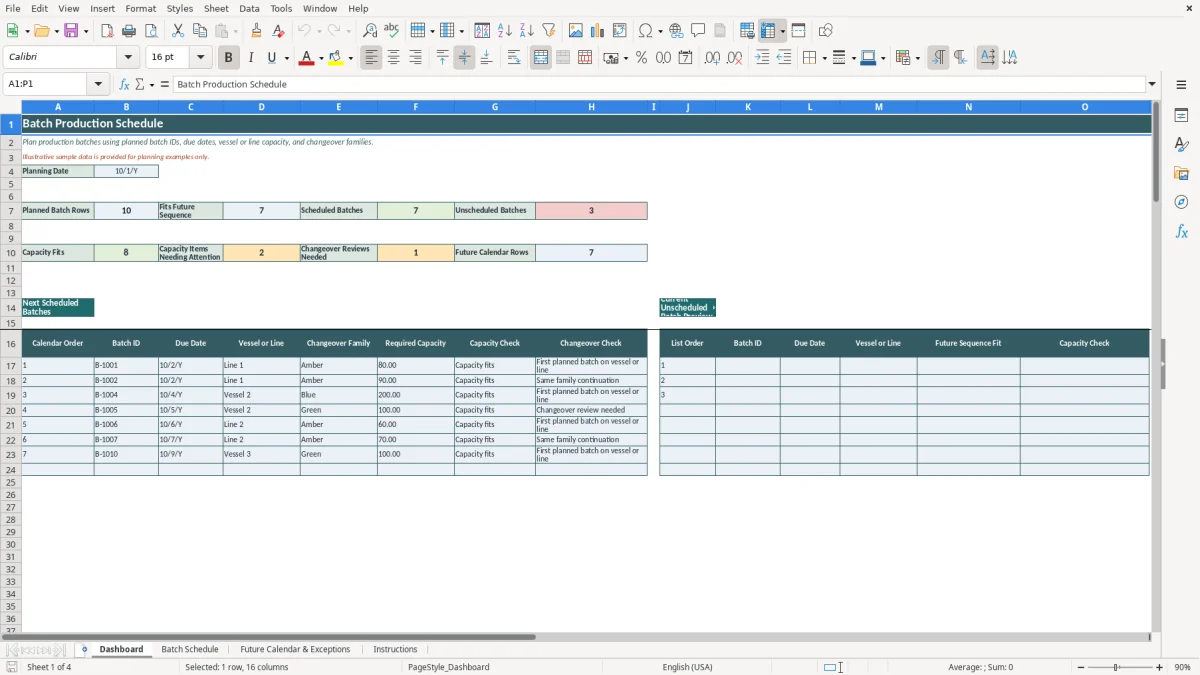
- Dashboard presents summary counts, a dated action plan, a rescheduling exception list, and an asset-level maintenance view.
- Load Plan records plan identifiers, machine and equipment identifiers, dates, hours, ownership, and planned actions.
- Machine History records event dates, readings as recorded, ownership, history consistency results, and latest asset record results.
- Load Plan and Machine History each have rows 2 through 101 prepared for entries.
Operating sequence
How to use the workbook
Replace the examples
Rows 2 through 9 on Load Plan and Machine History are labeled example data only. Replace or delete those rows before operational use.
Enter the load plan
Use one row for one machine loading item. Enter a Plan Item ID, Machine Identifier, Equipment ID, Reporting Period, Required Date, Planned Start Date, Planned End Date, Required Load Hours (hours), Available Resources (hours), Owner or Responsible Role, and Planned Action.
Read the displayed checks
Review Machine/Period Planned Load Hours (hours), Capacity Check, Due-Date Check, Date Sequencing Check, and Action Status. Action Status is displayed as Planned or Reschedule Required when the needed entries are present.
Review the Dashboard
Use the Dated Action Plan to view completed load-plan rows in planned start-date order. Use the exceptions section to review rows marked Reschedule Required.
Record machine history
Enter Machine Identifier, Equipment ID, Event Date, Readings (as recorded), and Owner or Responsible Role on Machine History. Event Date is displayed in m/d/Y format.
Machine loading before production release
Machine Load Plan is used before production release. On Load Plan, each entered item connects a machine and equipment ID to a reporting period, required date, planned start date, planned end date, required load hours, available resources, a responsible role, and a planned action.
Required Load Hours and Available Resources are labeled in hours. Workbook dates are displayed in m/d/Y format where applicable.
Dated actions and rescheduling review
The Dashboard Dated Action Plan displays completed load-plan rows in planned start-date order. It shows the related plan item, machine, equipment, reporting period, dates, action, responsible role, entered hours, and Action Status.
The Dashboard also has a list for exceptions requiring rescheduling. That list shows rows marked Reschedule Required along with the displayed capacity or due-date, due or threshold, and date sequencing results.
Machine history and workbook limits
Machine History stores event dates or readings by Machine Identifier and Equipment ID. The asset-level maintenance view on Dashboard displays the latest recorded event date, latest reading, owner or responsible role, latest record status, and asset history status.
Readings remain as recorded. This workbook is an operational aid only. It does not replace an ERP, MRP, MES, connected machine system, official record, audit, safety process, engineering process, or compliance process.
Use notes
Questions about this workbook
The workbook plans machine loading items. Each Load Plan row uses a Machine Identifier and Equipment ID.
It displays completed load-plan rows in planned start-date order. The display brings together the planned action, responsible role, dates, entered hours, and Action Status.
Reschedule Required is an Action Status displayed on Load Plan. Rows with that status are shown in the Dashboard list for exceptions requiring rescheduling.
Machine History records the machine and equipment identifiers, Event Date, Readings (as recorded), and Owner or Responsible Role. It also displays history consistency and latest asset record results.
No. Rows 2 through 9 on Load Plan and Machine History are labeled example data only. Examples are not operating history.
Same verified file
Ready to work from your own copy?
Editorial profiles
Lena Hart Whitcomb
Production Workbook EditorLena shapes factory planning, materials, execution and improvement workflows into clear Excel workbooks. She focuses on usable inputs, transparent calculations, practical outputs and explicit limits.
Jonah Cray Bellmont
Spreadsheet QA EditorJonah reviews formula behavior, data validation, field labels, example data and workbook instructions so each download remains testable and within its documented scope.